FORScan Software: Complete Beginner’s Guide to Features, Uses, Setup, and Vehicle Customization
1. Introduction to FORScan Software
Modern vehicles are no longer just mechanical machines; they are highly advanced systems powered by electronics and software. From engine control to safety systems, everything is managed through digital modules. Because of this shift, traditional diagnostic tools are often not enough to fully understand or control a vehicle.
This is where forscan software becomes extremely useful. It is designed to give users deeper access to their car’s internal systems, helping them diagnose issues, monitor performance, and even customize features. Whether you are a beginner car owner or an experienced technician, this tool provides a new level of control and understanding.
2. What is FORScan Software?
Forscan software is a specialized diagnostic and configuration tool created mainly for Ford, Lincoln, Mazda, and Mercury vehicles. It connects to your car through an OBD-II adapter and communicates directly with different electronic modules inside the vehicle.
Unlike basic OBD2 scanners that only read engine fault codes, forscan software can access multiple systems such as ABS, airbags, transmission, and body control modules. This makes it a powerful tool for both troubleshooting and customization.
In simple terms, it acts as a bridge between your computer and your car, allowing you to read data, send commands, and adjust settings that are normally hidden.
3. How FORScan Works (Simple Explanation)
To understand how forscan software works, imagine your car as a network of small computers called modules. Each module controls a specific function, such as the engine, brakes, or lighting system.
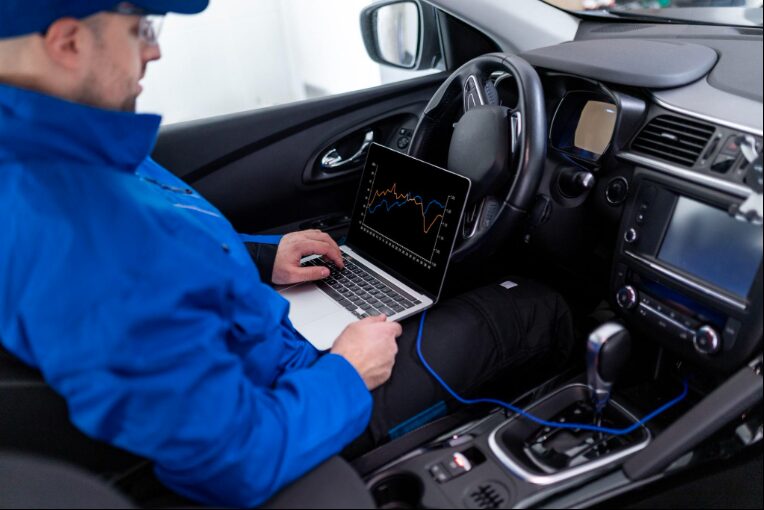
Forscan software connects to these modules using an OBD-II adapter. Once connected, it can:
- Read information stored in the modules
- Display live data from sensors
- Send commands to perform actions
- Modify configuration settings
This process allows users to interact with their vehicle in a way that was previously only possible at a dealership.
4. Key Features of FORScan Software
Advanced Diagnostics
One of the most important features of forscan software is its ability to perform advanced diagnostics. It can read and clear trouble codes from all vehicle modules, not just the engine.
For example, if there is a problem with the airbag system or ABS, forscan software can detect it and provide detailed information. This helps users identify issues quickly and accurately without relying solely on mechanics.
Live Data Monitoring
Forscan software allows users to monitor live data from the vehicle in real time. This includes information such as engine temperature, fuel pressure, speed, and sensor readings.
This feature is especially helpful for diagnosing problems that only occur while the vehicle is running. By observing real-time data, users can better understand how their car behaves under different conditions.
Vehicle Customization
One of the most popular reasons people use forscan software is for customization. Many vehicles come with hidden features that are disabled by default.
With forscan software, users can enable or modify these features, such as:
- Adjusting lighting behavior
- Disabling automatic start-stop systems
- Changing warning alerts
- Customizing door locking settings
This allows car owners to personalize their vehicles according to their preferences.
Module Programming
Forscan software also supports module programming, which is a more advanced feature. It allows users to change configuration data, program new keys, and update certain modules.
This level of control is typically only available at dealerships, making forscan software a cost-effective alternative for advanced users.
Service and Maintenance Functions
In addition to diagnostics and customization, forscan software can perform various service functions. These include tasks that are usually required during vehicle maintenance.
Some common examples are:
- ABS bleeding
- Diesel particulate filter (DPF) regeneration
- Injector coding
These functions make the software useful not only for troubleshooting but also for routine maintenance.
5. Supported Vehicles and Compatibility
Forscan software is specifically designed for vehicles from the Ford family. It supports a wide range of models from the following brands:
| Brand | Compatibility |
|---|---|
| Ford | Fully Supported |
| Lincoln | Fully Supported |
| Mazda | Mostly Supported |
| Mercury | Supported |
Most vehicles manufactured after 1996 are compatible because they use the OBD-II standard. However, the level of functionality may vary depending on the model and year.
6. Requirements to Use FORScan
To use forscan software effectively, you need a few basic components. These requirements are simple and affordable, making the tool accessible to most users.
| Requirement | Description |
|---|---|
| Device | Laptop, tablet, or smartphone |
| Software | FORScan application |
| Adapter | OBD-II adapter (USB, Bluetooth, or WiFi) |
| Vehicle | Compatible Ford-based vehicle |
Having the right adapter is especially important because it ensures stable communication between the software and the vehicle.
7. How to Install FORScan Software (Step-by-Step)
Installing forscan software is a straightforward process, even for beginners. The steps are simple and do not require advanced technical skills.
First, download the software from the official website and install it on your device. After installation, connect your OBD-II adapter to your vehicle’s diagnostic port.
Next, link the adapter to your device using USB, Bluetooth, or WiFi. Once connected, open the software and allow it to detect your vehicle automatically.
Finally, you can start scanning your car, viewing data, and using the available features. For advanced functions, you may need to activate an extended license.
8. How to Use FORScan for Beginners
Using forscan software for the first time can feel overwhelming, but the interface is designed to be user-friendly.
A beginner typically starts by connecting the software to the vehicle and running a full system scan. This scan identifies any existing issues and displays them in an easy-to-understand format.
After reviewing the results, users can choose to clear fault codes, monitor live data, or explore customization options. It is always recommended to make small changes and understand each function before moving to advanced features.
9. Benefits of Using FORScan Software
Forscan software offers several advantages that make it a valuable tool for car owners.
It helps users save money by reducing the need for frequent mechanic visits. Instead of paying for diagnostics, users can identify problems themselves.
It also provides deeper control over the vehicle, allowing customization and advanced diagnostics that are not possible with standard tools.
Additionally, the software is affordable and offers powerful features even in its free version, making it accessible to a wide range of users.
10. Limitations and Risks
While forscan software is powerful, it does have some limitations. It is mainly designed for Ford-related vehicles, so it may not work with other brands.
Another limitation is the learning curve. Beginners may need some time to understand how the software works and how to use its features safely.
There are also risks involved if the software is used incorrectly. Making changes without proper knowledge can affect the vehicle’s performance or settings. Therefore, it is important to proceed carefully.
11. Free vs Paid (Extended License Explained)
Forscan software offers both free and paid options. The free version includes basic diagnostic and monitoring features, which are sufficient for most users.
The extended license unlocks advanced functions such as module programming and customization. This license is often available as a free trial, allowing users to explore the full capabilities of the software before purchasing.
12. Safety Tips Before Using FORScan
Safety should always be a priority when using forscan software. Since the tool provides access to critical vehicle systems, it is important to use it responsibly.
Users should always back up original settings before making any changes. This ensures that they can restore the vehicle to its original state if needed.
It is also recommended to follow trusted guides and avoid experimenting with unknown settings. Taking these precautions can help prevent potential issues.
13. Common Uses in Real Life
In real-world situations, forscan software is used for a variety of purposes. Some users rely on it to diagnose engine problems, while others use it to customize their vehicle’s features.
For example, a user might disable a seatbelt warning sound, adjust lighting settings, or fix a warning light on the dashboard. These practical uses make the software both versatile and convenient.
14. FORScan vs Regular OBD2 Scanners
To better understand the value of forscan software, it is helpful to compare it with standard OBD2 scanners.
| Feature | FORScan Software | Regular OBD2 Scanner |
|---|---|---|
| Module Access | Full Access | Limited |
| Customization | Available | Not Available |
| Programming | Supported | Not Supported |
| Ease of Use | Moderate | Easy |
| Functionality | Advanced | Basic |
This comparison shows that forscan software offers significantly more features and flexibility.
15. Frequently Asked Questions (FAQs)
1. Is forscan software safe to use?
Yes, it is safe if used carefully and with proper knowledge.
2. Is forscan software free?
It has a free version, but advanced features require an extended license.
3. Can beginners use forscan software?
Yes, beginners can use it, but they should start with basic functions.
4. What vehicles support forscan software?
It mainly supports Ford, Lincoln, Mazda, and Mercury vehicles.
5. Do I need special hardware?
Yes, you need an OBD-II adapter to connect the software to your vehicle.
16. Conclusion
Forscan software is a powerful and versatile tool that provides deep access to vehicle systems. It allows users to diagnose problems, monitor performance, and customize features in ways that were once limited to professional technicians.
With the right knowledge and careful use, forscan software can save time, reduce costs, and enhance the overall driving experience. Whether you are a beginner or an experienced user, it offers valuable capabilities that make it an essential tool for modern vehicle management.