Gimkit.com – A Complete and Easy Guide
1. Introduction to Gimkit.com
In today’s digital world, learning is no longer limited to textbooks and traditional lectures. Platforms like gimkit.com have completely changed the way students interact with educational content. Instead of passive learning, students now participate actively through engaging and interactive games.
Gimkit.com is an online educational platform that combines quizzes with gaming elements. It allows teachers to create fun learning experiences where students answer questions, earn virtual money, and compete with others. This approach makes even difficult subjects more enjoyable and easier to understand.
The popularity of gimkit.com has grown rapidly because it turns boring revision sessions into exciting competitions. Whether used in classrooms or for homework, it keeps students motivated and focused.
2. What is Gimkit.com?
2.1 Definition and Purpose
Gimkit.com is a game-based learning platform designed to help students learn through interactive quizzes. Unlike traditional quiz tools, it introduces strategy, rewards, and gameplay mechanics that make learning feel like playing a game.
The main purpose of gimkit.com is to:
- Increase student engagement
- Improve knowledge retention
- Make learning enjoyable
Instead of simply answering questions, students earn virtual currency and use it to upgrade their performance within the game. This adds a unique strategic element that is not found in many other educational tools.
2.2 History and Creator
Gimkit.com was created by a high school student named Josh Feinsilber. He wanted to build a tool that students would genuinely enjoy using. His idea quickly gained attention because it solved a common problem—students often find traditional quizzes boring.
Over time, gimkit.com evolved into a widely used platform across schools worldwide, proving that innovation can come from students themselves.
3. How Gimkit Works
3.1 Basic Working Concept
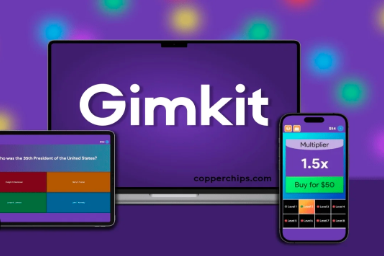
The working system of gimkit.com is simple yet powerful. Teachers create question sets known as “kits,” and students join the game using a unique code. Once the game starts, students answer questions in real time and earn rewards based on their performance.
3.2 Step-by-Step Process
For Teachers
Teachers begin by signing up on gimkit.com and creating a quiz. They can either build questions manually or import them from other platforms. After selecting a game mode, they host a live session and share a code with students.
For Students
Students visit gimkit.com/join, enter the provided code, and start playing. As they answer questions correctly, they earn virtual money and can use it to gain advantages in the game.
This simple process ensures that both teachers and students can start using gimkit.com without any technical difficulties.
4. Key Features of Gimkit.com
4.1 Game-Based Learning System
One of the strongest features of gimkit.com is its game-based approach. Students are not just answering questions—they are actively participating in a competitive environment. This increases focus and makes learning more dynamic.
4.2 In-Game Currency and Rewards
Gimkit introduces a virtual economy where:
- Correct answers earn money
- Incorrect answers may reduce earnings
- Money can be spent on upgrades
This system encourages students to think strategically rather than just guessing answers.
4.3 Custom Quiz Creation (Kits)
Teachers can create customized quizzes according to their syllabus. They can:
- Add their own questions
- Import existing content
- Use pre-made kits
This flexibility makes gimkit.com suitable for all subjects and grade levels.
4.4 Live Game Mode
Live mode allows the entire class to play together in real time. This creates excitement and encourages participation, especially in group settings.
4.5 Assignment Mode
Assignment mode is perfect for homework. Students can complete quizzes at their own pace, making learning more flexible.
4.6 Dashboard and Analytics
Teachers can monitor student performance through detailed reports. These insights help identify weak areas and improve teaching strategies.
4.7 Multiple Game Modes
Gimkit.com offers various game modes that keep the experience fresh and engaging. Each mode introduces a new way to interact with the content, preventing boredom.
5. Unique Features That Make Gimkit Stand Out
Gimkit.com stands out because it combines education with strategy. Unlike simple quiz tools, it allows students to make decisions that affect their progress.
Some unique aspects include:
- A game-within-a-game system
- Continuous earning and spending
- Strategy-based gameplay
- High engagement levels
This combination makes gimkit.com different from traditional learning platforms.
6. Benefits of Using Gimkit.com
6.1 Benefits for Students
Students benefit greatly from gimkit.com because it makes learning enjoyable. Instead of feeling pressured, they feel motivated to participate.
Key benefits include:
- Improved memory through repetition
- Increased engagement
- Better understanding of concepts
6.2 Benefits for Teachers
Teachers find gimkit.com useful because it simplifies the teaching process. It saves time and provides instant feedback on student performance.
6.3 Benefits for Schools
Schools can use gimkit.com to modernize their teaching methods. It supports both physical classrooms and online learning environments.
7. Gimkit Game Modes Explained
Gimkit offers different modes to suit various learning styles.
Live Mode
This mode is best for classroom interaction. Students compete in real time, creating an energetic environment.
Homework Mode
Students complete assignments independently, making it ideal for revision.
Creative Modes
Some modes include storytelling and strategy elements, making learning even more immersive.
8. How to Create a Quiz (Kit) in Gimkit
Creating a quiz on gimkit.com is straightforward. Teachers can start from scratch or import questions. They can also customize quizzes by adding images, adjusting difficulty levels, and organizing content effectively.
This flexibility ensures that quizzes meet specific learning objectives.
9. How to Host a Gimkit Live Game
To host a game, teachers select a kit, choose a mode, and share the join code with students. Once everyone joins, the game begins.
Teachers can control the session, monitor progress, and guide students throughout the activity.
10. Pricing and Plans
Gimkit.com offers both free and paid plans.
| Plan Type | Features | Best For |
|---|---|---|
| Free Plan | Basic features, limited players | Beginners |
| Pro Plan | Full access, advanced modes | Teachers & schools |
The paid version unlocks additional features, making it more suitable for regular use.
11. Gimkit vs Other Learning Platforms
When compared to other platforms, gimkit.com offers more interactive features.
| Feature | Gimkit.com | Kahoot | Quizizz |
|---|---|---|---|
| Game Strategy | Yes | No | Limited |
| In-Game Currency | Yes | No | No |
| Homework Mode | Yes | Limited | Yes |
| Engagement Level | High | Medium | High |
This comparison shows why gimkit.com is preferred by many educators.
12. Tips for Using Gimkit Effectively
To get the best results from gimkit.com, teachers should use different game modes regularly and analyze student performance. Mixing easy and challenging questions also helps maintain balance.
Students should focus on understanding concepts rather than just earning points.
13. Common Challenges and Limitations
Although gimkit.com is highly effective, it does have some limitations. It requires a stable internet connection, and some features are only available in the paid version.
New users may also need some time to understand all the features.
14. Why Gimkit is Popular in Modern Education
The popularity of gimkit.com comes from its ability to combine fun and learning. It keeps students engaged while helping them understand concepts better.
It works on multiple devices, supports remote learning, and fits perfectly into modern education systems.
15. Future of Gimkit and Game-Based Learning
The future of platforms like gimkit.com looks promising. With advancements in technology, we can expect more features such as AI-based quizzes, personalized learning, and deeper analytics.
Game-based learning is becoming a major trend, and gimkit.com is at the forefront of this transformation.
16. Conclusion
Gimkit.com is more than just a quiz tool—it is a complete learning experience. By combining education with gaming, it makes studying enjoyable and effective.
Whether you are a teacher looking to improve classroom engagement or a student wanting a fun way to learn, gimkit.com provides the perfect solution.
17. FAQs
1. What is gimkit.com used for?
Gimkit.com is used for creating interactive quizzes that help students learn through gameplay.
2. Is gimkit.com free?
Yes, it offers a free version, but advanced features require a paid plan.
3. Can students use gimkit.com at home?
Yes, students can complete assignments and practice quizzes from home.
4. How is gimkit.com different from Kahoot?
Gimkit.com includes strategy and in-game currency, making it more interactive than Kahoot.
5. Is gimkit.com suitable for all subjects?
Yes, it can be used for any subject because teachers can create custom quizzes.