Check Printing Software: Complete Guide, Features, & Benefits
1. Introduction to Check Printing Software
In today’s fast-paced financial environment, businesses and individuals are constantly looking for efficient ways to manage payments. One such solution is check printing software, a digital tool that simplifies the process of creating and printing checks. Instead of writing checks manually, users can generate professional-looking checks directly from their computers.
Traditionally, check writing involved handwriting details such as the payee’s name, amount, and date. This process was not only time-consuming but also prone to human error. With modern software solutions, this entire process has been automated, ensuring accuracy, speed, and convenience.
Check printing software is widely used in businesses, accounting firms, and even for personal financial management. It allows users to create checks quickly while maintaining a professional appearance and proper formatting.
2. What is Check Printing Software?
2.1 Basic Concept
Check printing software is a computer-based application designed to create, format, and print checks. It eliminates the need for handwritten checks by allowing users to input payment details digitally.
The software ensures that all check elements are placed correctly, including:
- Payee name
- Amount (numeric and written form)
- Date
- Signature
- Bank details
It can work with both pre-printed check paper and blank paper, depending on the software capabilities.
2.2 How It Works
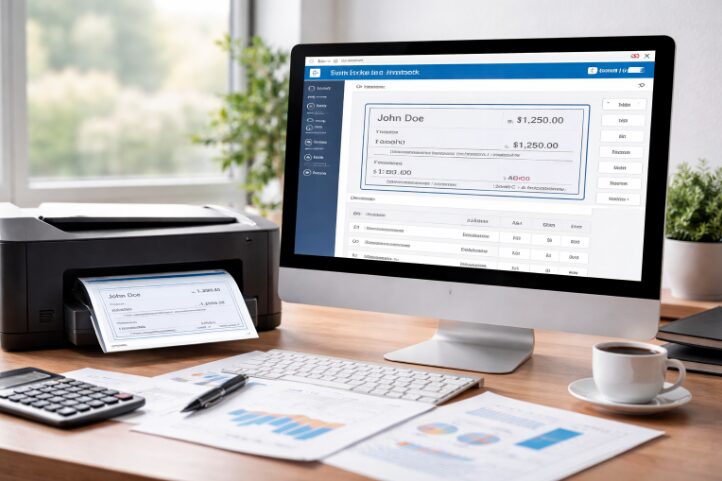
The working process of check printing software is simple and user-friendly. First, users enter the necessary payment details into the software. The program then automatically formats the check according to standard banking requirements. Finally, the check is printed using a standard printer.
The process can be summarized as follows:
| Step | Description |
|---|---|
| Step 1 | Enter payee and payment details |
| Step 2 | Software formats the check |
| Step 3 | Preview the check |
| Step 4 | Print using a printer |
| Step 5 | Save or record the transaction |
This streamlined process reduces manual effort and improves efficiency.
3. Key Features of Check Printing Software
A good check printing software includes several important features that enhance usability and security.
3.1 Customization Options
Users can customize the design of their checks according to their needs. This includes adding company logos, adjusting fonts, and modifying layouts. Customization helps businesses maintain a professional image.
3.2 Security Features
Security is one of the most critical aspects of financial transactions. Most check printing software includes:
- Password protection
- Data encryption
- Fraud prevention tools
- Secure templates
These features ensure that sensitive financial information remains protected.
3.3 Automation
Automation is a major advantage of using check printing software. The software can automatically:
- Convert numbers into words
- Fill recurring payment details
- Print multiple checks in batches
This reduces human errors and saves time.
3.4 Multi-Account Support
Businesses often deal with multiple bank accounts. This software allows users to manage different accounts within a single platform, making it easier to track transactions.
3.5 Integration with Accounting Tools
Many modern tools integrate with accounting software. This allows seamless synchronization of financial data, reducing duplication of work.
3.6 Reporting and Tracking
Users can track all issued checks and generate reports for financial analysis. This feature is particularly useful for businesses that need proper record-keeping.
4. Types of Check Printing Software
Check printing software is available in different types based on usage and accessibility.
4.1 Desktop-Based Software
This type is installed on a computer and works without an internet connection. It is suitable for small businesses or individuals who prefer offline tools.
4.2 Cloud-Based Software
Cloud-based solutions are accessible online from any device. They offer flexibility and automatic updates, making them ideal for remote teams and modern businesses.
4.3 Free vs Paid Software
The choice between free and paid versions depends on user needs.
| Type | Features | Best For |
|---|---|---|
| Free Software | Basic features, limited support | Personal use |
| Paid Software | Advanced features, integrations | Businesses |
Paid versions usually offer better security, customization, and customer support.
5. Benefits of Using Check Printing Software
Using check printing software provides numerous advantages.
5.1 Saves Time
Manual check writing can be slow, especially when dealing with multiple payments. Software speeds up the process significantly.
5.2 Reduces Errors
Automation minimizes the chances of mistakes in amounts, dates, and formatting.
5.3 Cost-Effective
Users can print checks on blank paper, eliminating the need to order expensive pre-printed checks.
5.4 Professional Appearance
Printed checks look clean and professional, which is important for business credibility.
5.5 Enhanced Security
With built-in security features, the risk of fraud and unauthorized access is reduced.
6. Common Uses of Check Printing Software
Check printing software is versatile and can be used in various scenarios.
6.1 Business Payments
Companies use it to pay vendors, suppliers, and service providers efficiently.
6.2 Payroll Management
It simplifies salary payments by generating employee checks quickly.
6.3 Personal Use
Individuals can use it to pay rent, utility bills, or other personal expenses.
6.4 Financial Institutions
Banks and financial organizations use advanced versions for bulk check processing.
7. How to Choose the Best Check Printing Software
Selecting the right software requires careful consideration.
First, users should identify their needs. Personal users may prefer simple tools, while businesses require advanced features.
Compatibility is another important factor. The software should work smoothly with your printer and operating system.
Feature evaluation is essential. Look for security, customization, and integration options.
Ease of use should not be overlooked. A simple interface saves time and reduces the learning curve.
Pricing also plays a role. Users should compare free and paid options based on their budget.
Finally, reliable customer support ensures smooth operation and quick problem resolution.
8. Popular Check Printing Software Examples
There are many options available in the market. Some tools are designed for beginners, while others cater to large businesses.
Popular categories include:
- Cloud-based tools for remote access
- Desktop applications for offline use
- Hybrid solutions combining both features
Each type serves different user needs, making it important to choose wisely.
9. Step-by-Step Guide to Using Check Printing Software
Using check printing software is straightforward.
First, install the software or sign up for an online platform. Then, add your bank account details securely. After that, enter the payee information and payment amount.
Next, customize the check layout if needed. Preview the check to ensure all details are correct. Finally, print the check and save the record for future reference.
10. Advantages vs Disadvantages
Advantages
- Fast and efficient process
- Reduces manual work
- Improves accuracy
- Professional output
Disadvantages
- Initial setup may take time
- Some tools require payment
- Printer alignment may be needed
11. Security and Legal Considerations
When using check printing software, it is important to follow banking standards. Checks must include proper formatting and encoding to be accepted by banks.
Security measures such as encryption and password protection should always be enabled. Users should also ensure compliance with local financial regulations.
12. Future of Check Printing Software
The future of check printing software looks promising. With advancements in technology, software is becoming more intelligent and efficient.
Emerging trends include:
- AI-based automation
- Mobile check printing
- Cloud integration
- Digital payment compatibility
These innovations will continue to improve the user experience.
13. Conclusion
Check printing software has transformed the way payments are managed. It offers a fast, accurate, and cost-effective alternative to traditional check writing.
Whether you are a business owner, accountant, or individual, using check printing software can save time, reduce errors, and enhance professionalism. Choosing the right software depends on your specific needs, budget, and required features.
14. FAQs
1. Is check printing software legal?
Yes, it is legal as long as the checks meet banking standards and formatting requirements.
2. Can I print checks on plain paper?
Yes, many modern tools allow printing on blank paper with proper formatting.
3. Which check printing software is best for beginners?
Beginner-friendly tools usually offer simple interfaces and basic features for easy use.
4. Is free check printing software safe?
Free software can be safe, but it may lack advanced security features found in paid versions.
5. Do I need a special printer for printing checks?
No, most standard inkjet or laser printers can be used, although proper alignment is important.